
Lifelong Learning Symposium
October 24, 2025
There are multiple simple registration steps required to fill out in order to become a member of the virtual gathering. Please follow the steps below to detailed instructions on how to register.
NOTE: Lifelong Learning Symposium 2025 registration form can be found at the following URL: https://cdrcp.netference.ca/registration/
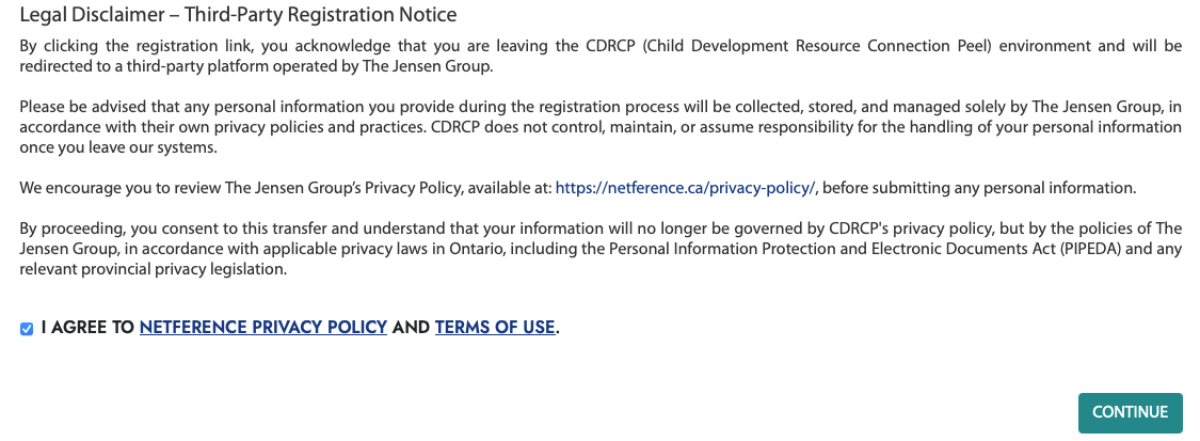


Legal Disclaimer.
Read the legal disclaimer and agree to Netference Privacy Policy and Terms of Use, then click on "Next" button:
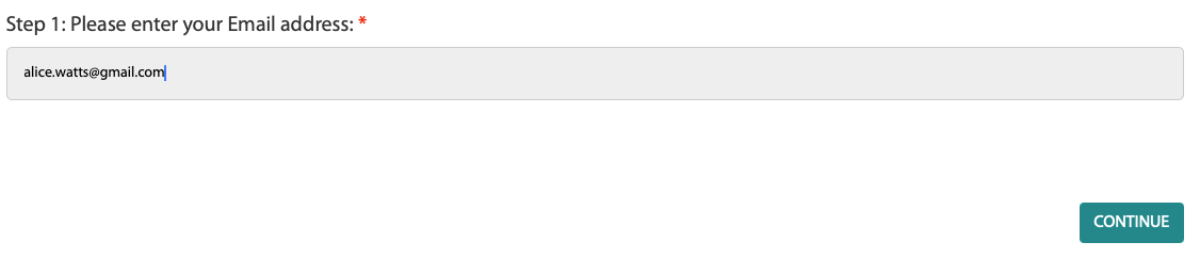
Registration Step 1.
Enter your email address, then click on "Continue" button:
Registration Step 2.
Enter and verify your information, then click on "CONTINUE" button:
Registration Step 3.
If you are registering your individual account click on "No" and then on "Continue", otherwise please refer to the How to register Shared Account Group for Lifelong Learning Symposium 2025 article.
Registration Step 4.
Confirm that you have access to the email address you are using for this registration and click on "Register"